Adobe Dreamweaver Online Live Class by Experts
Our Training/Internship Process

Adobe Dreamweaver - Syllabus, Fees & Duration
Module 1: Introducing Dreamweaver
- Understanding the course
- Reviewing the course objectives and prerequisites
- Reviewing the course format
- Outlining the course content
- Understanding static page architecture
Module 2: Getting Started
- Introducing Dreamweaver
- Learning the interface
- Defining a local site
- Creating a website
Module 3: Adding Content to a Site
- Adding content
- Controlling document structure
- Making lists
- Adding horizontal rules
- Adding special characters
Module 4: Formatting with CSS
- Formatting text
- Introducing CSS
- Creating styles
- Exporting CSS rule definitions
- Creating class styles
- Attaching external style sheets
- Creating advanced styles
- Creating a new external style sheet
- Displaying styles
- Understanding cascading order and inheritance of styles
- Creating internal styles with the Property inspector
Module 5: Working with Graphics
- Using graphics on web pages
- Placing graphics on the page
- Modifying image properties
- Editing images
- Doing roundtrip editing with Fireworks
- Customizing the Insert bar
- Adding Flash content
- Adding Flash Video
Module 6: Navigating Your Site
- Understanding site navigation
- Linking to files in your site
- Linking to sites
- Linking to named anchors
- Adding e-mail links
- Linking from images
- Creating a jump menu
Module 7: Designing Page Layouts with CSS
- Understanding page layout
- Using layers for layout
- Adding CSS to layers
- Using absolute and relative positioning
- Designing with DIV's
- Designing navigation links with CSS
- Importing tabular data
- Using table layout view
Module 8: Using Libraries and Templates
- Using site library items
- Creating site templates
- Defining editable regions
- Using templates
- Applying a template to an existing page
- Modifying templates
Module 9: Creating Forms
- Understanding forms
- Processing a form
- Setting focus in a form
- Validating a form
Module 10: Testing, Maintenance, and Uploading
- Testing your site
- Maintaining your files and folders
- Connecting to a remote site
- Synchronizing files
This syllabus is not final and can be customized as per needs/updates
- Since 2001, Making IT Experts by Experts
- Duration: 15 Hours (Vary as per your skill)
- Course Fees
- Individual Live Classes (1:1)
- Batch Classes @ Low Fees
- Training on Your Time, Any Where
- Access to Recorded Videos
- Practical Internship on Projects
- 100% Placement Support by our jobsNEAR.in
- Training/Internship Certificate
- Agra
- Ahmedabad
- Alappuzha
- Aurangabad
- Bangalore
- Belgaum
- Bellary
- Bhubaneswar
- Chennai
- Cochin
- Coimbatore
- Delhi
- Dindigul
- Erode
- Gulbarga
- Guntur
- Gurgaon
- Haryana
- Hyderabad
- Idukki
- Indore
- Jaipur
- Kalyan
- Kannur
- Kanpur
- Kasaragod
- Kerala
- Kolkata
- Kollam
- Kottayam
- Kozhikode
- Lucknow
- Madurai
- Malappuram
- Mangaluru
- Mumbai
- Mysuru
- Nagpur
- Nashik
- Navi Mumbai
- Nizamabad
- Noida
- Palakkad
- Pathanamthitta
- Pune
- Punjab
- Salem
- Shimla
- Solapur
- Surat
- Thane
- Thanjavur
- Thirunelveli
- Thoothukudi
- Thrissur
- Tiruchirappalli
- Tiruppur
- Trivandrum
- Vadodara
- Varanasi
- Vellore
- Vijayawada
- Visakhapatnam
- Wayanad
Course Highlights

Our Locations

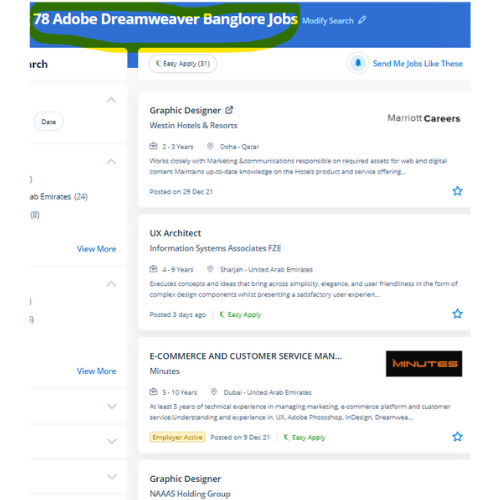
 This software has not just for beginners but has also been designed with advanced level users in mind. Students could register at any time. Dreamweaver highlights your mistakes, If any, and rectifies them on an immediate basis. The course materials are designed as self-study courses, however, if you have got any issues you will email our support service. Dreamweaver could be a web authoring tool that allows web developers to code whereas viewing the positioning as they work, instead of spending hours writing HTML tags to code a complex table, the developer will build the table, resize it, and consider it specifically because it will appear on a web page. With Dreamweaver you will go from setting out to end, creating and maintaining basic websites to advanced applications that support best practices and additionally the newest technologies. Dreamweaver is not the only Adobe web design tool. the corporate conjointly offers Adobe Muse, a somewhat restricted program in functions however terribly easy to use. DreamWeaver has predesigned templates are offered or, alternatively, template files will be created by the user. Students can learn to spice up the web pages by suggests that of adding advanced functions like guidance controls, media parts, and forms.